Difference between revisions of "How to join"
M e lagius (Talk | contribs) |
(→Downloading the client) |
||
| Line 1: | Line 1: | ||
=== Downloading the client === | === Downloading the client === | ||
[[File:MORERAM.png|360px|thumb|alt=Its strongly recommended to select more memory|Its '''strongly recommended''' to select '''more memory''']] | [[File:MORERAM.png|360px|thumb|alt=Its strongly recommended to select more memory|Its '''strongly recommended''' to select '''more memory''']] | ||
| − | |||
| − | |||
* Navigate to '''https://craftland.org/download'''. | * Navigate to '''https://craftland.org/download'''. | ||
| − | :[[ | + | :[[File:Screenshot 2024-10-07 100433.png|360px]] |
* Select download link of your preference. | * Select download link of your preference. | ||
| − | :[[ | + | :[[File:How to join 3.png|360px]] |
* After downloading, if necessary trust the file in order to complete the process. | * After downloading, if necessary trust the file in order to complete the process. | ||
| − | :[[ | + | :[[File:How to join 3,5.png|360px]] |
| − | :[[ | + | :[[File:How to join 4.png|360px]] |
* Go to your default downloads folder and run '''craftland.exe'''. | * Go to your default downloads folder and run '''craftland.exe'''. | ||
| − | :[[ | + | :[[File:How to join 5.png|360px]] |
* Ignore any warnings if they do pop up. | * Ignore any warnings if they do pop up. | ||
| Line 22: | Line 20: | ||
* After successfully installing, either run directly with the available option, start the launcher using the shortcut on your desktop or in your search bar. | * After successfully installing, either run directly with the available option, start the launcher using the shortcut on your desktop or in your search bar. | ||
| − | :[[ | + | :[[File:How to join 6.png|360px]] |
* The launcher will automatically download and install the latest craftland version, this will NOT conflict with any normal minecraft versions, as craftland is stored in its own folder (.craftland). | * The launcher will automatically download and install the latest craftland version, this will NOT conflict with any normal minecraft versions, as craftland is stored in its own folder (.craftland). | ||
| − | :[[ | + | :[[File:How to join 7,5.png|360px]] |
| + | |||
| + | |||
| + | ===Using Special Logins=== | ||
| + | If you have been given a special account login by an owner, follow these instructions to access your old account. | ||
| + | [[File:Customlogin-step1.png]] | ||
| + | [[File:Customlogin-step2.png]] | ||
===Adding your account=== | ===Adding your account=== | ||
Revision as of 18:19, 24 December 2025
Contents
Downloading the client

- Navigate to https://craftland.org/download.

- Select download link of your preference.

- After downloading, if necessary trust the file in order to complete the process.


- Go to your default downloads folder and run craftland.exe.

- Ignore any warnings if they do pop up.
- Follow the instructions in order to complete the installation process.
- After successfully installing, either run directly with the available option, start the launcher using the shortcut on your desktop or in your search bar.

- The launcher will automatically download and install the latest craftland version, this will NOT conflict with any normal minecraft versions, as craftland is stored in its own folder (.craftland).

Using Special Logins
If you have been given a special account login by an owner, follow these instructions to access your old account.


Adding your account
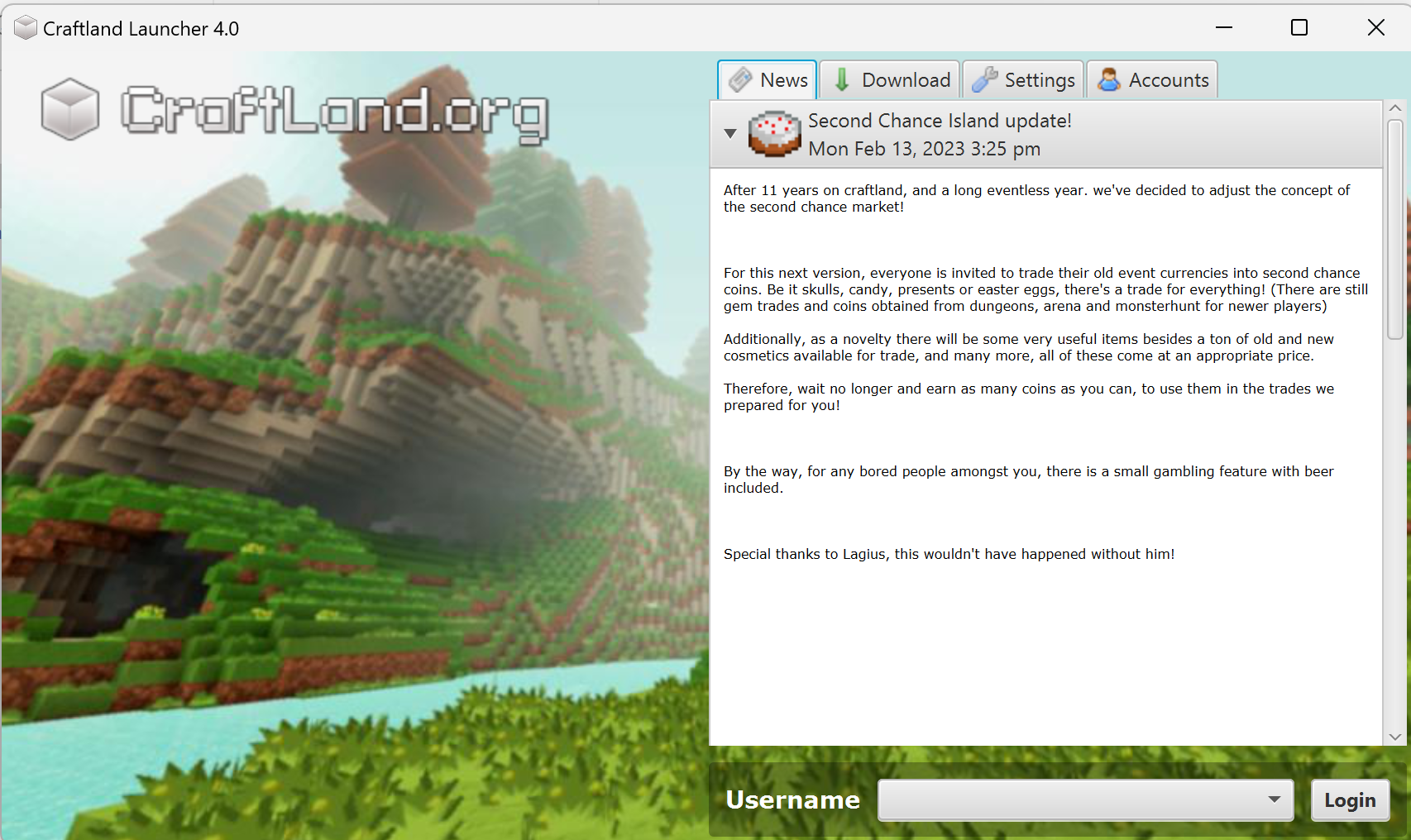
- Having started and udpated your launcher, you will now be presented with a magnificant view.
Registration
When you join the server for the first time, you will be prompted to type /register.
This is strongly recommended to ensure you have access to all of the essential features of craftland.
Click the link supplied to register with the website. Once it confirms your registration, you will gain the VIP rank. Updating the rank might take a short moment, and then you will be able to use /tp and many more features, found in Ranks.
Rules
See Server Rules
In case of any uncertainties, refer to the "help"-channel in the discord.
Run into issues?
If you have any problems, feel free to ask through our Discord!
Use /spawn if you lose your way in game and make sure to ask the extremely friendly and outgoing community for help.